Practical guide · PocketMirror
How to use PocketMirror’s custom guides
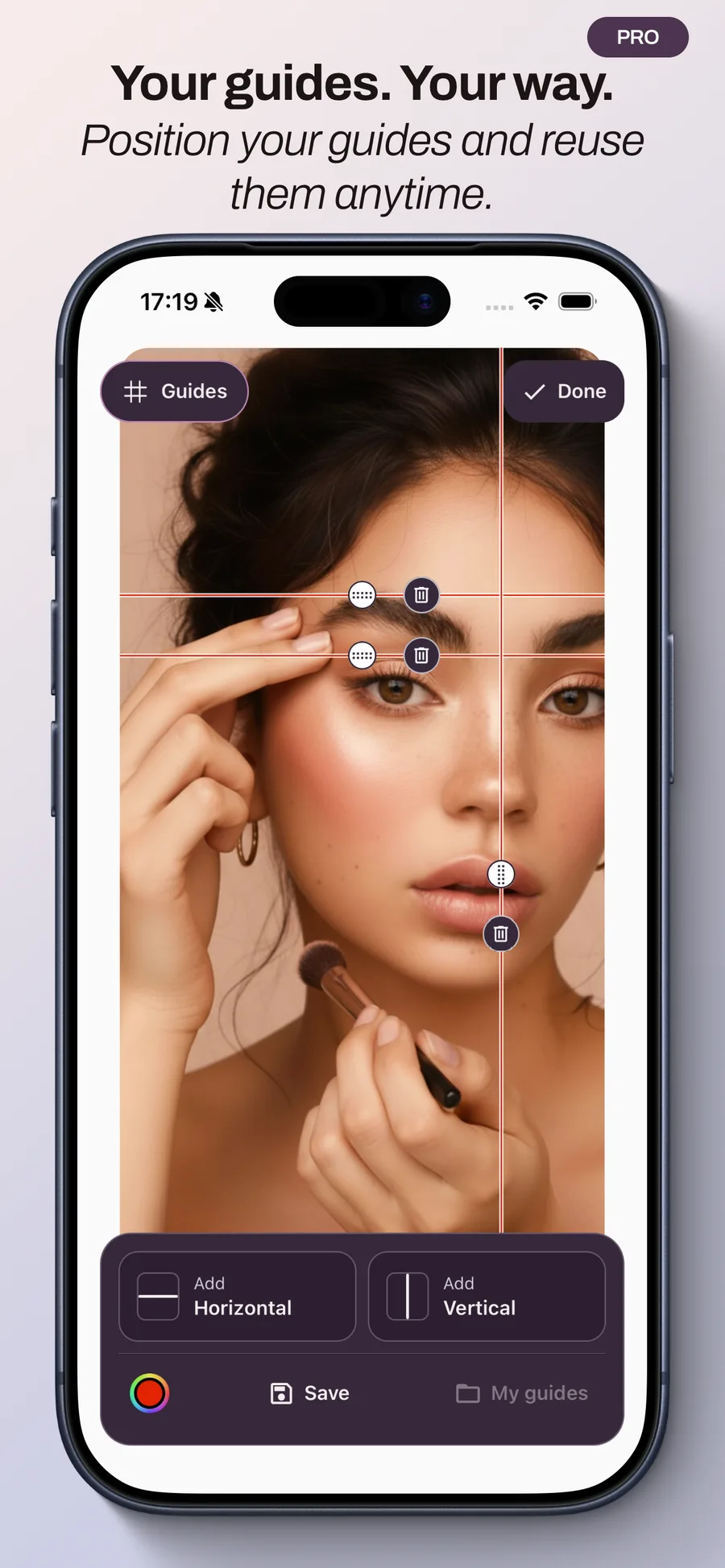
Guides are lines you place on the live mirror to create your own reference points, for example when checking makeup. You choose where they go; they do not automatically analyze your face.
Before you start
Custom guides are included in PocketMirror Pro, a one-time purchase without a subscription. The mirror and lighting remain free. The Pro price is shown in the app before purchase.
1. Place your lines
In the live mirror, use the guide tools to add horizontal or vertical lines. Move each line to the position you want to use as a reference.
Start with just a few lines to keep the view clear. A horizontal line can provide a visual reference while checking makeup; adjust it to suit what you want to see.
2. Pick a visible color
Choose a guide color that stands out against your face and background. Change it or adjust the lighting if a line becomes difficult to see.
Keep a similar position and distance when comparing two moments. Moving your head or phone moves your face relative to the lines on screen.
3. Save and reuse your layout
Save the arrangement and give it a recognizable name, such as ‘Makeup touch-up’. You can reuse it without placing every line again.
Layouts are stored locally on this device. When reopening one, take a moment to find your position in front of the phone and adjust the lines if needed.
Do guides appear in photos?
No. Guides appear only in the live mirror, never in frozen, saved or shared images. They provide reference points while you use the mirror.
Reference points your way
There is no required layout. Keep the lines that help you and adapt them to your needs. Start with one line, choose its color and save your first layout.